At set hours
Weekdays 9 to 5, evenings after dinner, a late-night cutoff. Every day can have its own hours.
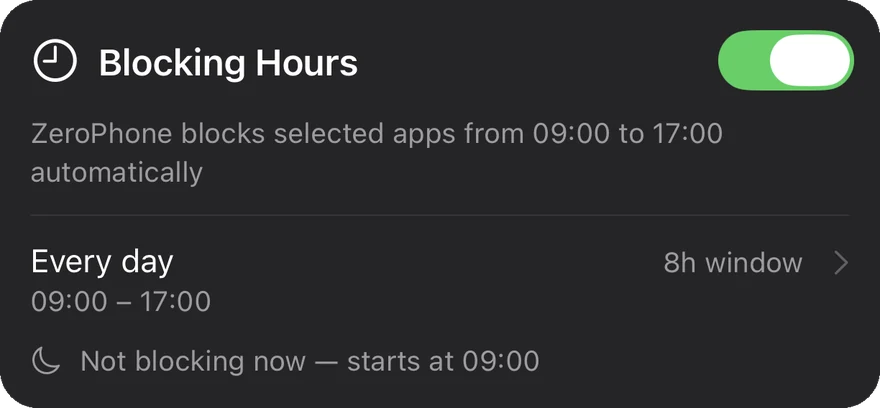
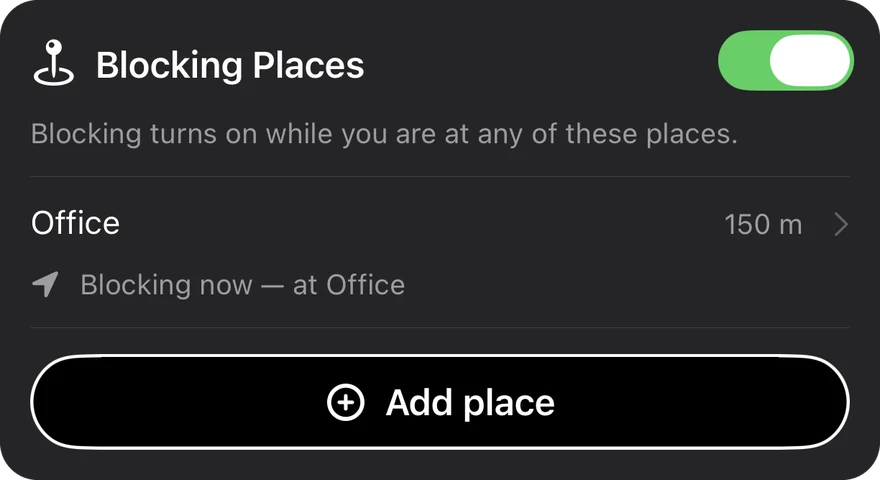
ZeroPhone blocks them at the hours and places you choose, from the office to the gym. Go strict, and even you can’t get back in.


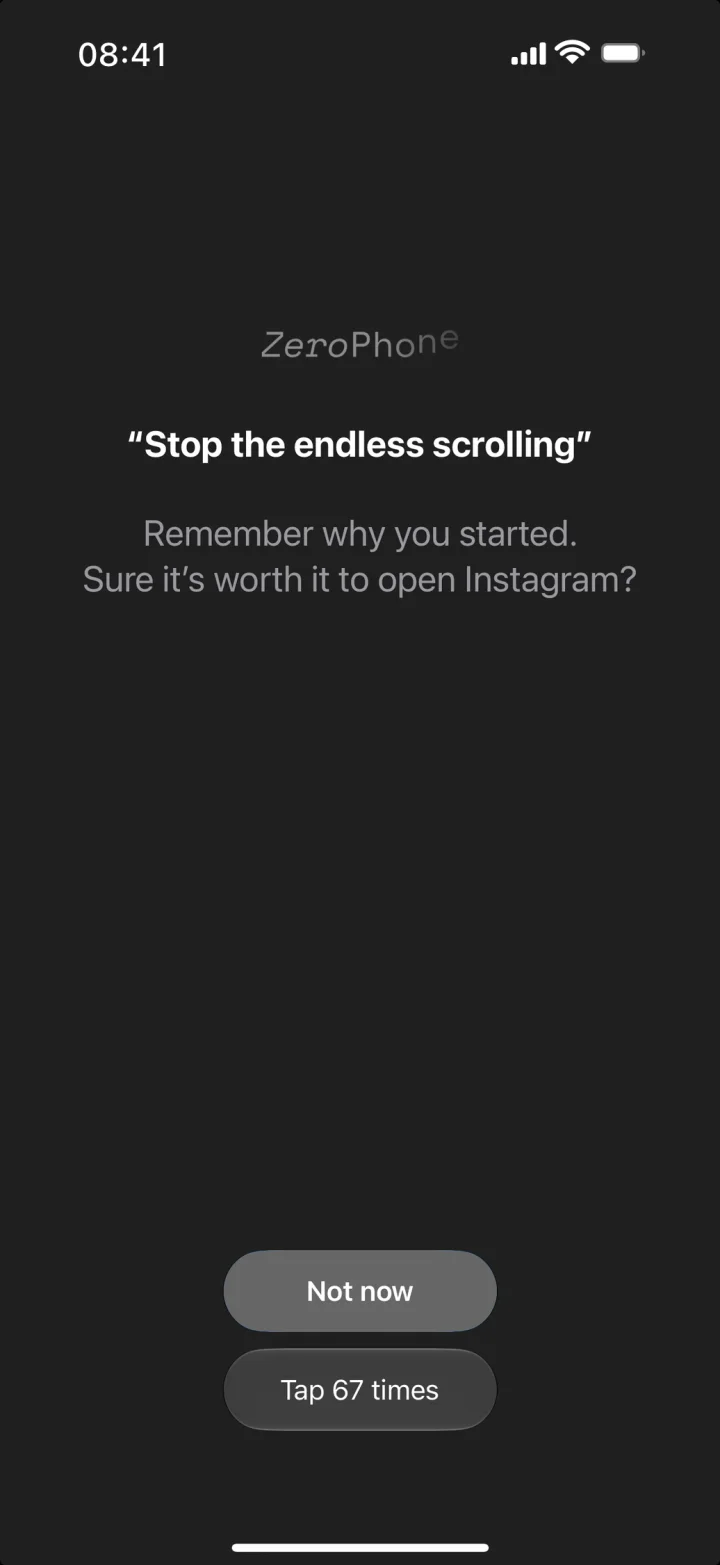
You pick up your phone to check the time. Twenty minutes later, you’re still scrolling.
Screen Time limits don’t stop it: one tap on “Ignore Limit” and you’re back in. ZeroPhone keeps you from doomscrolling.
Set it once. No remembering to turn it on, and no talking yourself out of it in the moment.
Weekdays 9 to 5, evenings after dinner, a late-night cutoff. Every day can have its own hours.
Add your office, the library, or the gym. Apps lock when you arrive and unlock when you leave, even with ZeroPhone closed.
Start gentle. Turn it up the first time you catch yourself cheating.
A partner, parent, or friend sets a passcode. Without them, you can’t pause blocking or change what’s blocked.
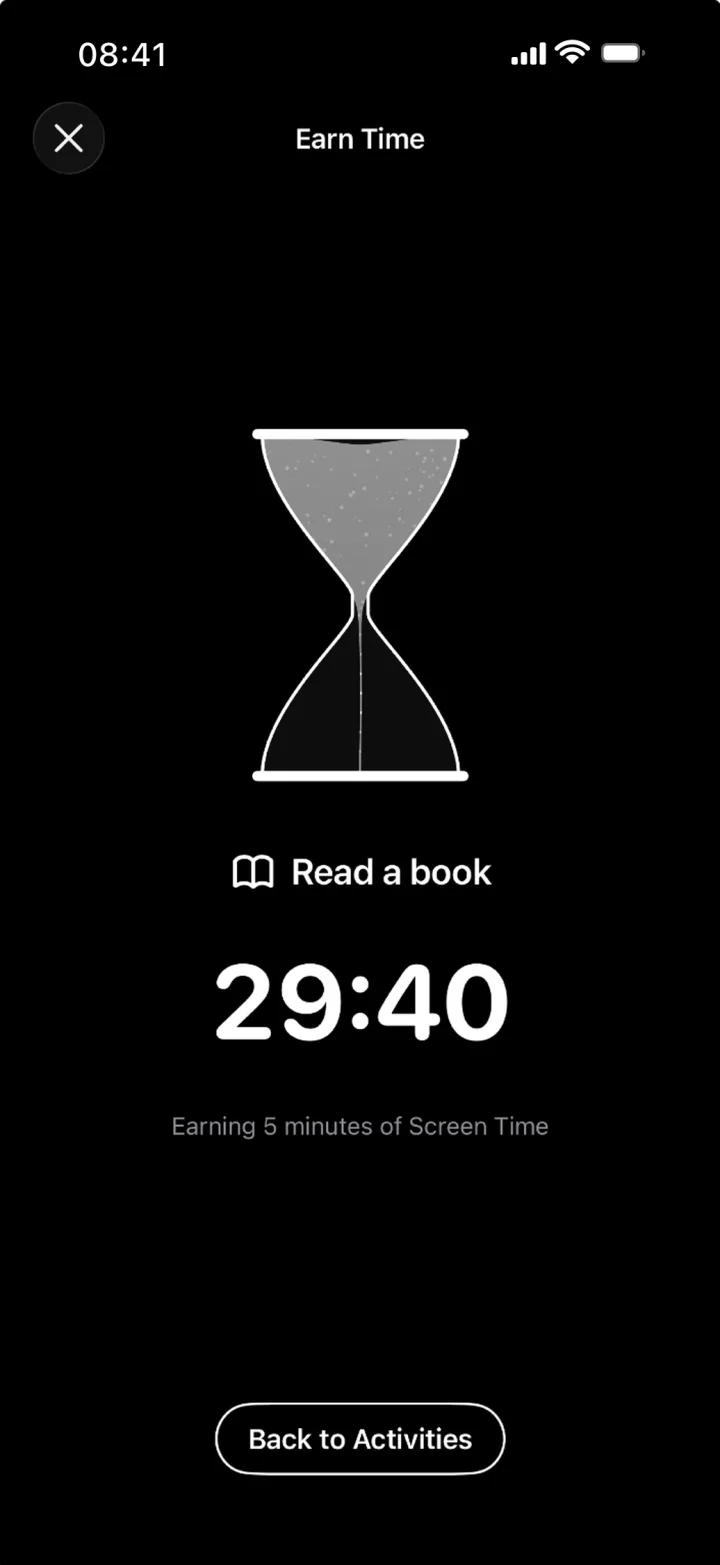
Wait out a countdown, tap dozens of times, finish an activity, or ask for the code.
Write down why you’re cutting back. You’ll read it each time you reach for a blocked app.
See how often you reach for blocked apps and how much time they still get, day by day.
Hours haven’t started yet? One tap blocks everything straight away.
For when a nudge isn’t enough. Turn on Locked mode and blocked apps stay shut until your blocking hours end or you leave the place.
Choose Earn time as your way back in, and a blocked app opens only after you finish something real: a walk, a workout, a chapter of a book.
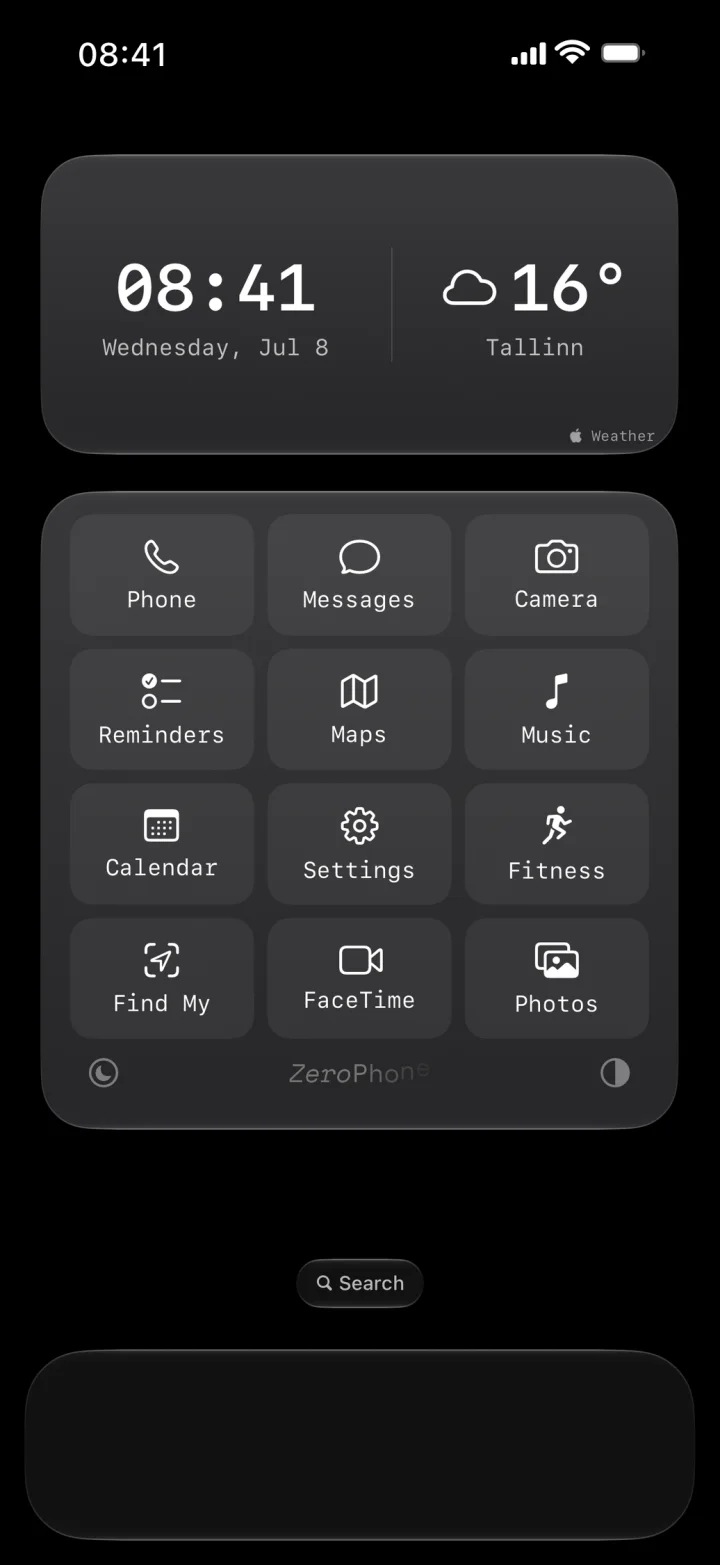
A short, quiet set of the apps you actually need, with the time and weather on top. Nothing colorful begging for a tap.
No account, no ads, no tracking. What you block, earn, and set up stays on your iPhone.
Read the privacy policy →In the gentler modes, yes, but it takes a deliberate choice. If you want no way out, give the passcode to someone else or turn on Locked mode. Then nothing switches blocking off until the block ends.
No. All processing happens locally on your iPhone. Your places are saved only on your phone, and your iPhone tells ZeroPhone when you arrive at or leave one of them. Your location is never sent to us or anyone else. Blocking places need location access set to Always, so blocking can switch on even while the app is closed.
You get one emergency unlock every 7 days. It opens your blocked apps for 15 minutes, then the block continues.
Any iPhone running iOS 17.4 or later.